

Oscilloscope Based Software
HDMI Protocol Decode Software
Model No: PGY-HDMI
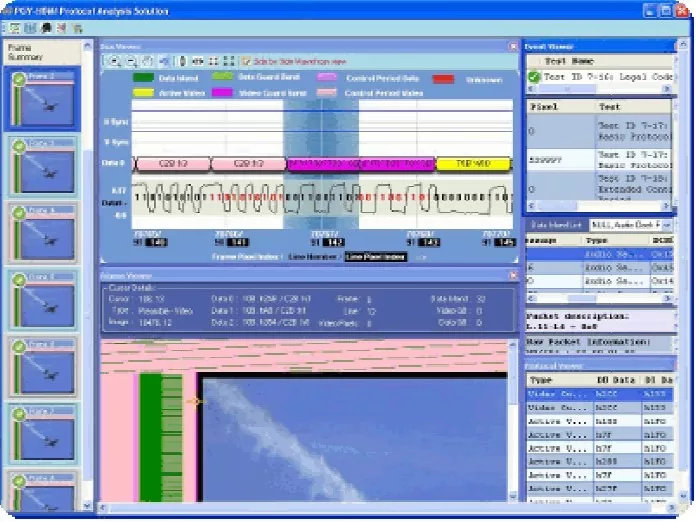
HDMI Protocol Decode Software offers protocol decoding as specified in the HDMI specification. PGY-HDMI Protocol decode software runs in Tektronix Oscilloscope and provides measurements for protocol decode at the click of a button. This allows engineers to quickly check for HDMI compliance and flexibility to debug the failure. In addition to this, engineers can decode the command and response of HDMI to debug the communication. PGY-HDMI takes advantage of digital channels of MSO and provides the decoding of HDMI data lines.
- HDMI
-
 Free Online Technical Support
-
 Free Software Updates
-
 Global Sales Support
-
 Evaluation Units Available
- Key Features
- Software
- Technical Library
- Applications / Use Cases
- The industry’s first MHL/HDMI Protocol analysis software offers in-depth visibility from the physical layer to video frames with unmatched data correlation between all the layers of MHL/HDMI protocol.
- Transforms the general-purpose oscilloscope into a sophisticated MHL/HDMI Protocol Analyzer.
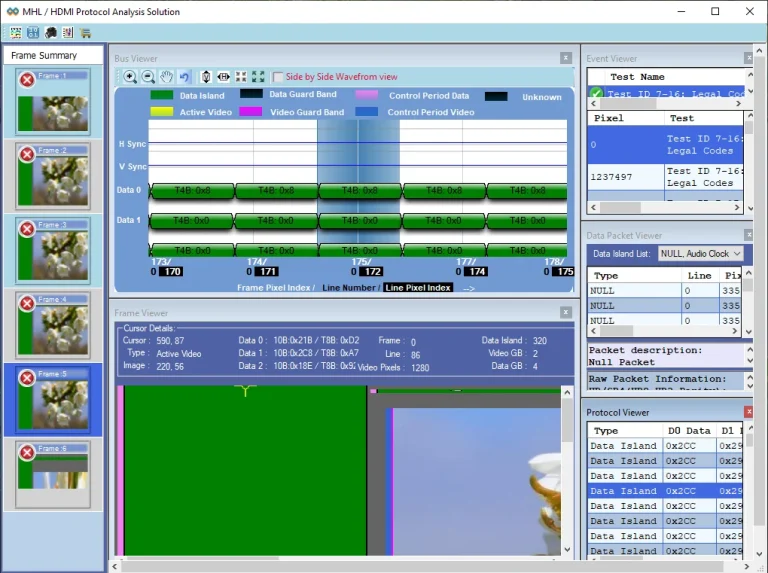
- Debugging and troubleshooting are made easy by cross-correlating the MHL/HDMI protocol data using a frame summary viewer, frame viewer, Bus viewer, the data packet, and event viewers.
- Frame summary view helps to quickly locate error frames for detailed analysis.
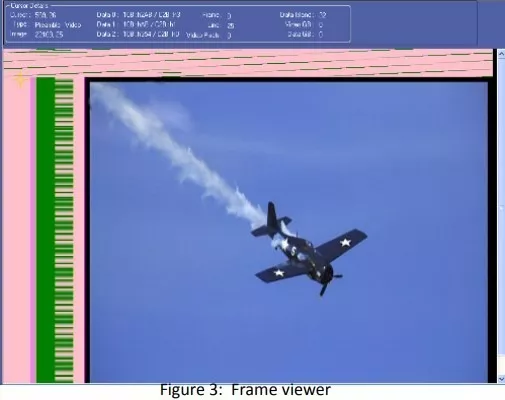
- The Frame Viewer helps to view the transmitted frame with color-coded MHL/HDMI operating modes as per the specification and eliminates the need for a Sink device in the MHL/HDMI test setup by reproducing the transmitted image in the Oscilloscope display.
- Bus viewer with the Physical layer analog waveforms offers unmatched flexibility in correlating protocol errors with the physical layer.
- The Protocol Viewer displays the tabular view of protocol information with decoded values
- The Event Viewer lists detailed protocol errors and events in the MHL/HDMI compliance tests to quickly locate the protocol failures.
- Raw and detailed packet information in the Data packet viewer helps to identify the problems in Data Island periods.
- Supports 24, 30, 36, and 48 bits per video pixel for HDMI and 24 bits per pixel for MHL.
- Oscilloscope setup assistant automatically sets up the oscilloscope to obtain accurate and reliable test results.
- Performs the protocol Tests as per the MHL Compliance Test specification 2.0, HDMI Compliance Test Specification 1.4a and displays quick Pass/Fail results.
- Conforms to HDMI Specification 1.4a and MHL Specification 2.0.
- Supports Oscilloscope live channels, Tektronix .wfm waveform files, and .bin (P/A/V file format of HDMI Capture card) files.
- Generates comprehensive and customizable reports.
- Ability to export the analyzed data to .bmp, txt, CSV, and .bin (P/A/V File format) for advanced analysis.
The industry’s first Oscilloscope based TEK-PGY-MHL/HDMI Protocol Analysis software lets you see every event in the MHL/HDMI stream from MHL/HDMI frame to physical layer analog signals which conventional protocol analyzers can not show.
TEK-PGY-MHL/HDMI Protocol Analyzer software performs the MHL/HDMI protocol compliance tests as per MHL CTS 2.0 and HDMI CTS 1.4a. It provides unmatched flexibility in analyzing, debugging, and correlating the test results from MHL/HDMI Frame to physical layer analog waveforms to address the MHL/HDMI design challenges.
For efficient debugging, TEK-PGY-MHL/HDMI software provides a unique multiviewer that comprises of frame summary viewer, frame viewer, bus viewer, Protocol viewer, Data Island viewer, and Event and test results viewer. Automatic cross-linking between all these viewers enables you to see and correlate the data in different parts of the MHL/HDMI protocol stack.
TEK-PGY-MHL/HDMI protocol analysis software along with Tektronix physical layer compliance test solutions and Industry-leading Tektronix high-performance oscilloscope offers a single box solution for physical and protocol layer testing.
Seamless Oscilloscope Integration
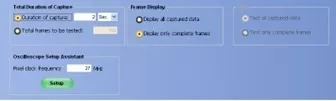
TEK_PGY-MHL/HDMI-PA software runs inside the Tektronix high-performance Windows oscilloscope. The oscilloscope setup assistant helps to set up the Oscilloscope automatically for reliable and accurate test results.
The software offers the flexibility of capturing 2sec video frames as per the MHL/HDMI test procedure or a few frames for quick debugging purposes.
Automated customizable Report and Export
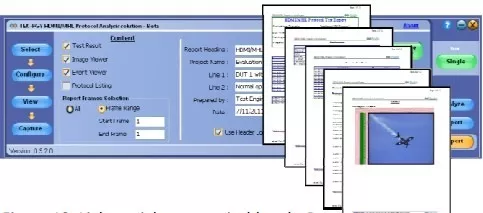
MHL/HDMI software’s in-built automated report generator offers a customizable report generation capability that helps to communicate the test reports effectively between fellow team management.
To further analyze the data, the software also provides image, protocol, and data island period data in multiple export formats. The P/A/V Binary format helps to cross-correlate the TEK-PGY-MHL/HDMI data with the conventional protocol analyzer software.
Comprehensive MHL/HDMI Protocol Analysis
For efficient debugging and troubleshooting of the MHL/HDMI protocol, TEK-PGY-MHL/HDMI Protocol analysis software offers a Frame summary viewer, Frame viewer, Bus viewer, Protocol viewer, Data packet viewer, and Event and test results viewers.
Frame summary viewer provides each frame’s thumb nail image with summary of pass/fail test results of the corresponding frame. Frame summary viewer enables to quickly navigate to the failure frames for detailed analysis.
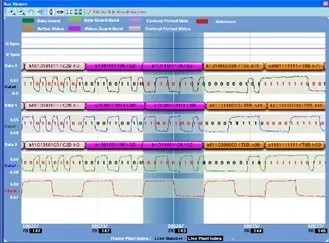
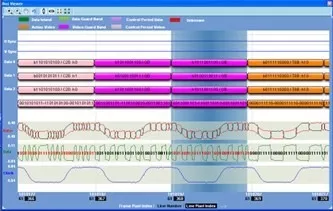
MHL bus viewer allows viewing of the Data Positive and Data Negative waveforms and the corresponding common mode clock and data which are created using the captured MHL signals. MHL bus diagram also provides the transmitted multiplexed logical channel details as it is along with the de-multiplexed logical channels as per the MHL Protocol Specification.
For identifying and locating the errors in a specific period bus viewer provides a pixel index in the selected frame, line number, and pixel index within the line.
Utility functions such as zoom, un-zoom, pan, undo, fit horizontal, fit vertical, fit horizontal and vertical, and side-by-side waveform and bus view helps to maneuver the bus diagram and analyze the MHL/HDMI protocol
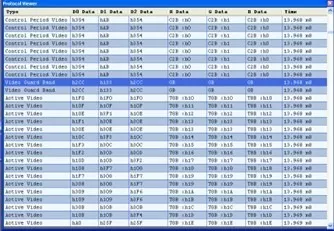
The Protocol Viewer provides the table view of protocol listing with transmitted 10-bit data for each channel along with the decoded 8-bit for active video, 4-bit TERC4 data for Data Island, and encoding along with 2-bit for Control period the time stamp.
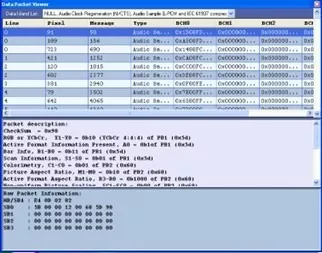
Data Packet Viewer lists the entire data packets transmitted in the selected frame. Each data island period type, line number, pixel number, and data island period’s BCH data are displayed in tabular format. Depending on the packet type the data packet viewer also provides the details of the data packet as per the CEA 861 specification.
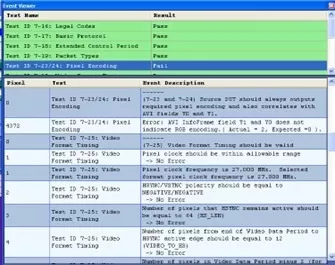
MHL/HDMI Protocol compliance testing MHL/HDMI Protocol Software makes comprehensive tests as per HDMI Compliance Test Specification 1.4a and MHL Compliance test Specification 1.1.
The event and Test results viewer lists the selected test results along with the description of each test pass/ fail information.
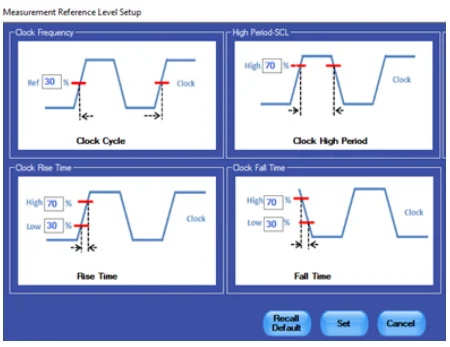
Reference Level Setup
The simple, easy-to-use RFFE protocol-aware trigger feature allows engineers to capture RFFE signals at specific events in the RFFE interface.
Select any of the live channels Ch1 to CH4 as trigger sources and set the trigger pattern. The trigger can be set to full speed, half speed, or any custom data rate. RFFE provides the flexibility to select a combination of any one of the sixteen slave IDs, any command, and command-dependent parameters such as Byte count, Address, or Data.
Applications
Analyzing and Debugging HDMI and MHL protocol in:
- Mobile smartphones / PDAs
- Digital home appliances
- Portable Video Players
- Netbooks
- Gaming Machines
Similar Products
-
 Oscilloscope Based Software
10BaseT1S Protocol Decode Software
10BaseT1 is emerging as a key interface…
-
 Oscilloscope Based Software
eMMC and SD/SDIO Electrical Validation and Protocol [...]
eMMC and SD, SDIO Electrical Validation and…
-
 Oscilloscope Based Software
eMMC (4.41, 4.51, 5.0, 5.1) and SD (UHS-I) Electric [...]
eMMC and SD Electrical Validation and Protocol…